

Code Quality ensures that every commit adheres to your team’s coding standards. Revolte integrates with industry-standard linters to provide immediate feedback on maintainability and potential bugs.Documentation Index
Fetch the complete documentation index at: https://www.sunny-dev.info/llms.txt
Use this file to discover all available pages before exploring further.
How to Configure
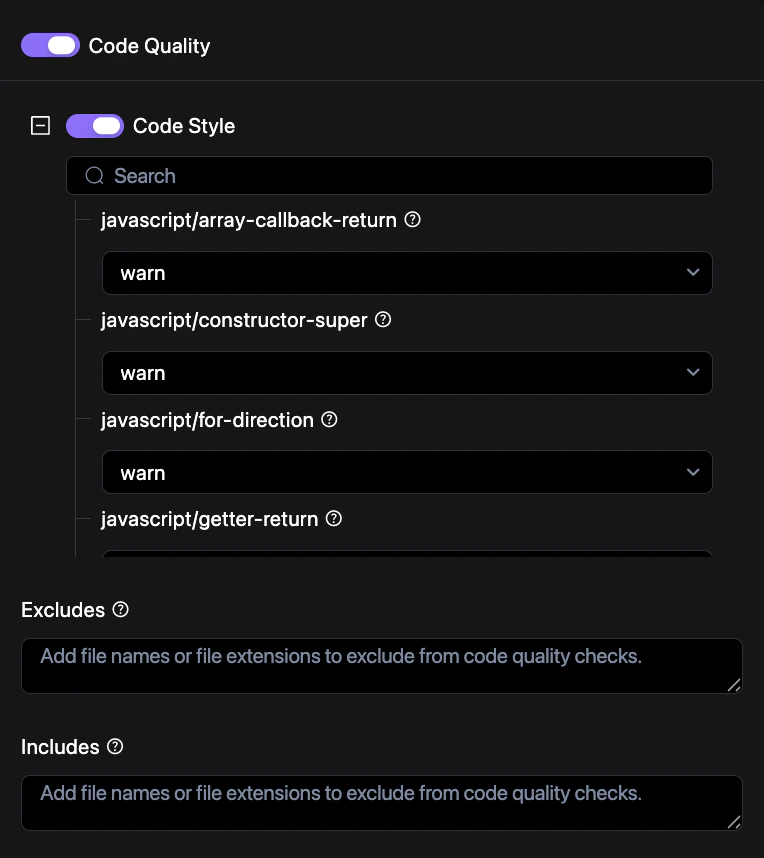
Customize your code quality standards through the Revolte dashboard.Access Repo Preferences
Navigate to YAML Configuration > Repo Preferences and locate the Pipelines section.
Open Code Quality Settings
Click on the Code Quality component to view detailed configuration options.
Commit Changes
Save your configuration to the repository. See Syncing Changes for a detailed walkthrough.
Configuration Example
Enable and customize code quality checks in yourrevolte.yaml:
revolte.yaml
Supported Features
- Static Analysis: Detects anti-patterns and potential runtime errors.
- Linting: Enforces consistent formatting and style rules.
- Complexity Metrics: Identifies overly complex functions that may need refactoring.