

Documentation Index
Fetch the complete documentation index at: https://www.sunny-dev.info/llms.txt
Use this file to discover all available pages before exploring further.
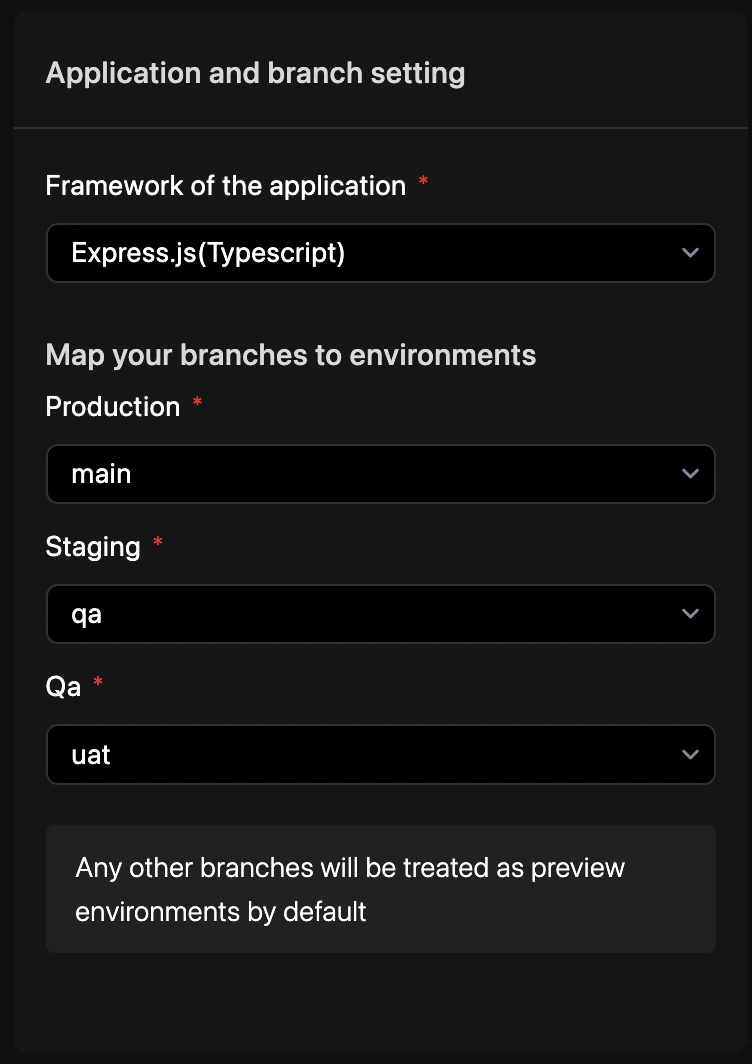
How to Configure
Follow these steps to define your application identity and branch strategy.Access Repo Preferences
Navigate to YAML Configuration > Repo Preferences from your project dashboard.
Commit Changes
Enter a commit message and select your target branch to persist the changes. See Syncing Changes for a detailed walkthrough.
Branch Mapping
Map your Git branches to Revolte environments to enable automated deployments.| Git Branch | Revolte Environment | Behavior |
|---|---|---|
main | Production | Live production traffic and primary rollout target. |
staging | UAT | Pre-production validation and user acceptance testing. |
qa | QA | Automated testing and quality assurance cycles. |
| * (Any other) | Preview | Ephemeral environments; automatically deleted after 3 days. |
revolte.yaml
You can customize the 3-day retention period for preview environments in your Environment
Settings.
Service Integration
Branch mapping triggers automated deployments for all services in the environment.revolte.yaml